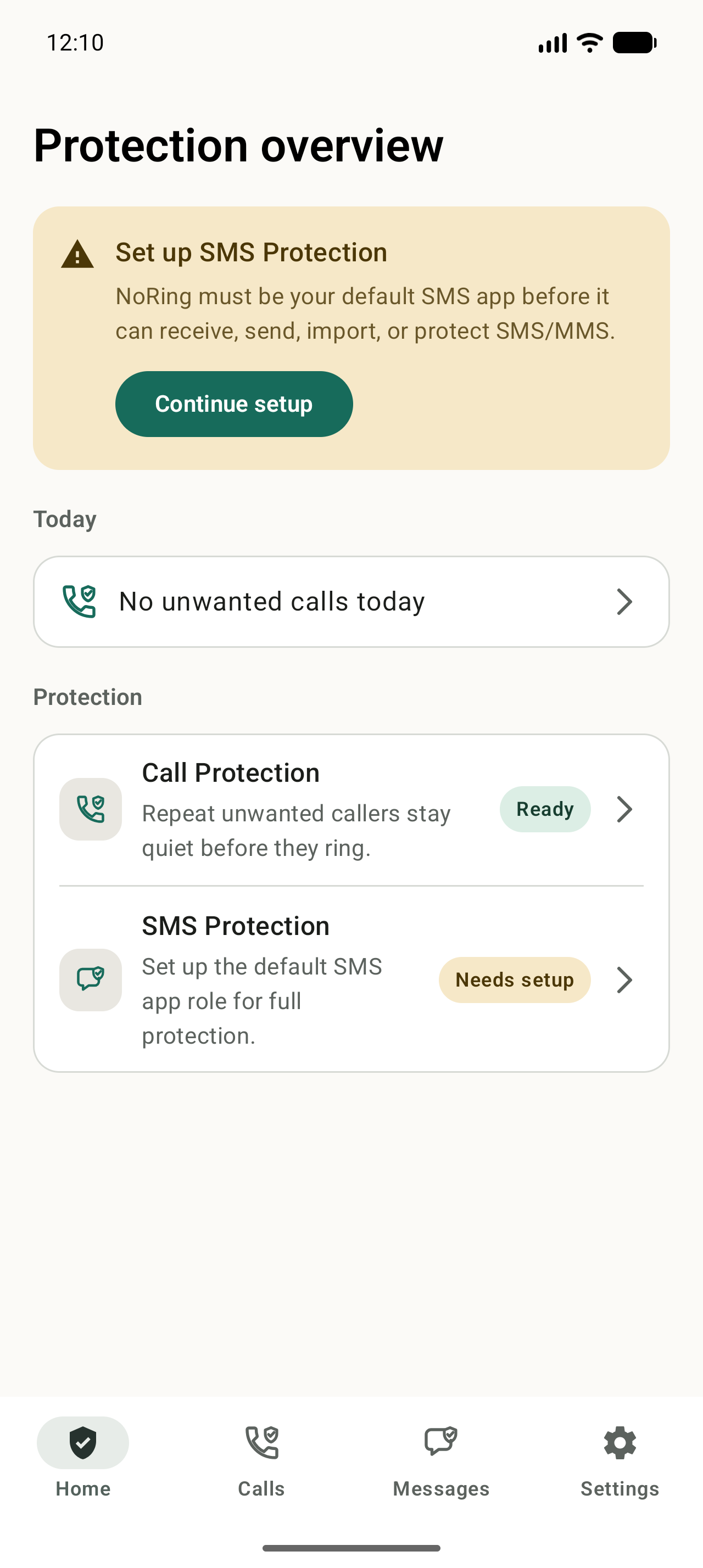
What the role lets NoRing do
As the default SMS app, NoRing can receive, write, send, display, organize, and search SMS/MMS, and decide locally whether an incoming message should notify in Inbox or stay quiet in Quieted.
Existing conversations are imported locally
Setup imports and indexes existing SMS/MMS history on the phone. That gives NoRing local conversation, search, classification, and protection views without uploading message content, sender IDs, recipients, or message metadata for protection.
What happens if the role is lost
If another app becomes the default SMS app, NoRing stops treating SMS receive, send, and protection as operational. It asks you to restore the role before presenting live protection again.
SMS/MMS is not RCS
NoRing supports SMS and MMS. RCS is not currently supported, so people who require RCS should keep that limitation in mind before changing their default messaging app.
Set up NoRing
Choose SMS Protection
Call Protection and SMS Protection are set up independently, so enabling messages does not require enabling calls.
Make NoRing your default SMS app
Android grants the active default SMS app the role needed to reliably receive, write, send, organize, and control notifications for SMS/MMS.
Let local import finish
NoRing imports and indexes existing SMS/MMS history on the phone so your conversations remain available after setup.
Use Inbox and Quieted
Important and uncertain messages stay available in Inbox. Confident promotions, suspicious messages, blocked messages, and messages you choose to quiet stay in Quieted.
Restore the role if it is lost
If another app becomes the default, SMS Protection is no longer operational until you restore NoRing as the default SMS app.
Is NoRing a good fit?
NoRing must be your default SMS app because Android gives that app the operational path needed to receive, write, send, organize, and control notifications for SMS/MMS.