Decided on your phoneNo cloud or cross-user spam scoring.Read the privacy promise
NoRing for Android
Private Call Protection.SMS Protection that stays local.
NoRing keeps repeat unwanted callers from ringing and moves likely promotions to Quieted, privately on your phone.
Free for Android · No account required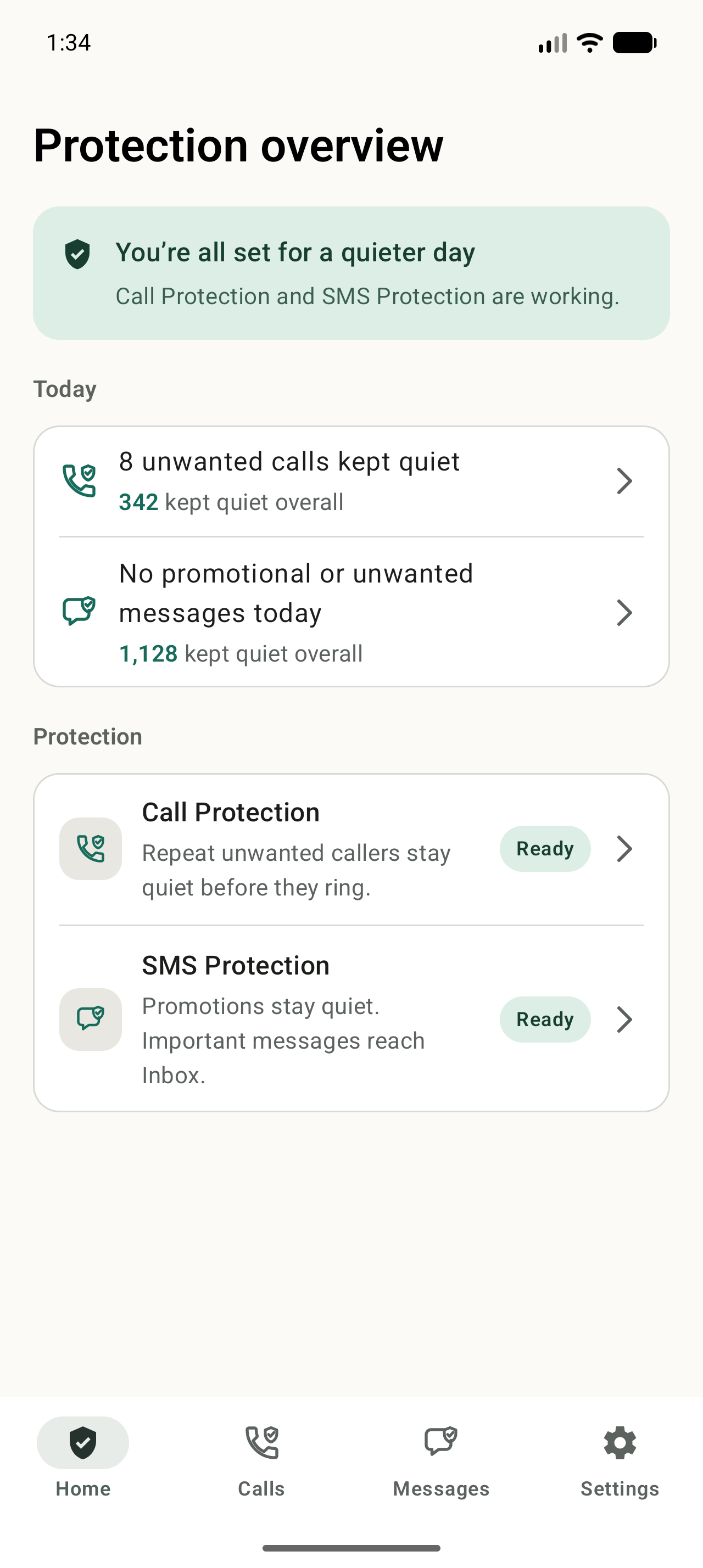
NoRing trust facts
No accountSet up protection without signing in.
Protection stays freeUse either protection or both for free.
Two independent protections
Use one. Use both. Stay in control.
Calls and messages keep their own history and rules, with one clear overview of what is working.
Call Protection
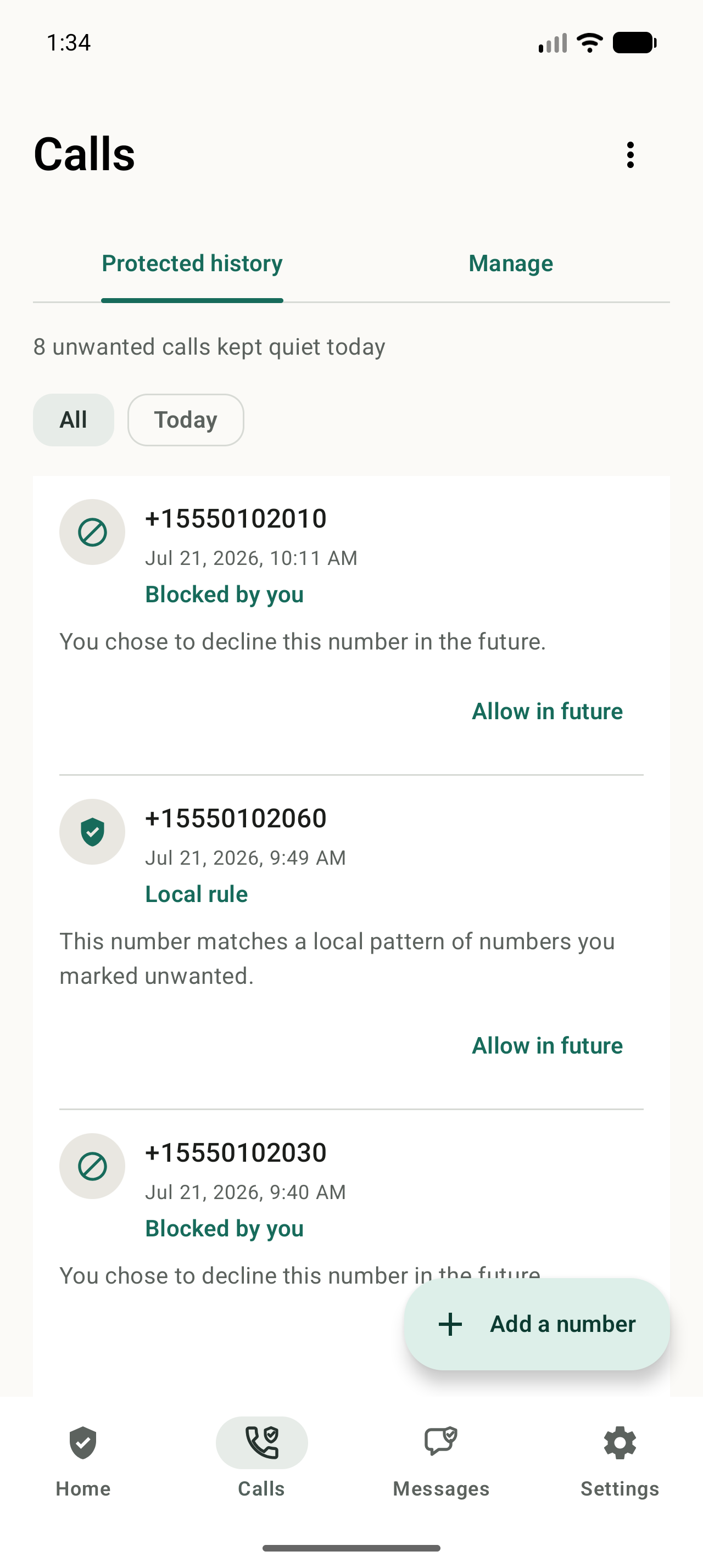
Repeat unwanted callers stay quiet before they ring.
NoRing recognizes repeat unwanted call patterns locally, keeps saved contacts ringing, and lets you review every decision.
- Screens repeat patterns on your phone
- Shows a complete protected-call history
- Lets you allow a number at any time
SMS Protection
Important messages stay close. Promotions move aside.
NoRing is a complete SMS/MMS app with Inbox and Quieted, local history import, search, compose, reply, and Sender Rules.
- Keeps important and uncertain messages in Inbox
- Keeps likely promotions available in Quieted
- Lets you change how any sender is handled
SMS setup: Android requires NoRing to be your default SMS app for this protection. RCS is not currently supported.
Explore SMS Protection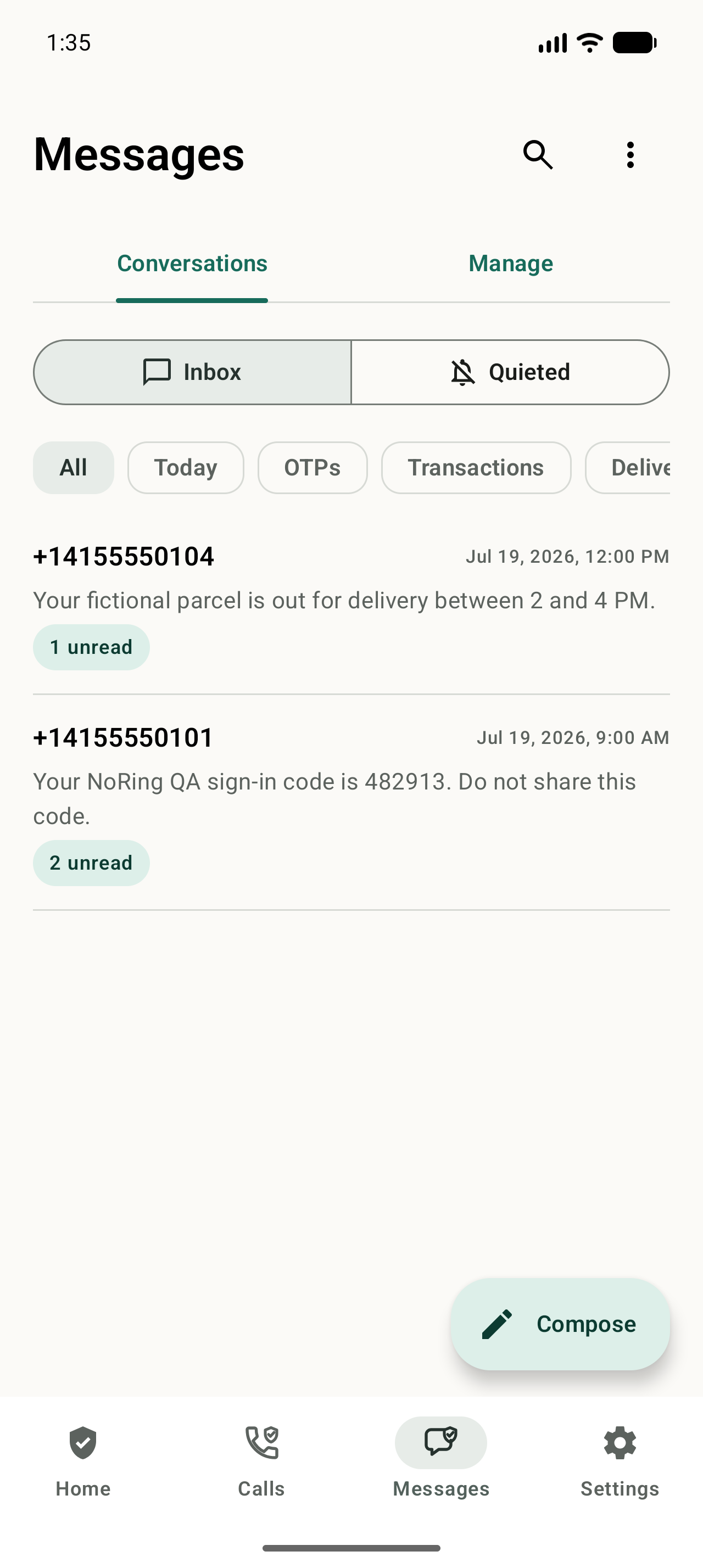
Private by design
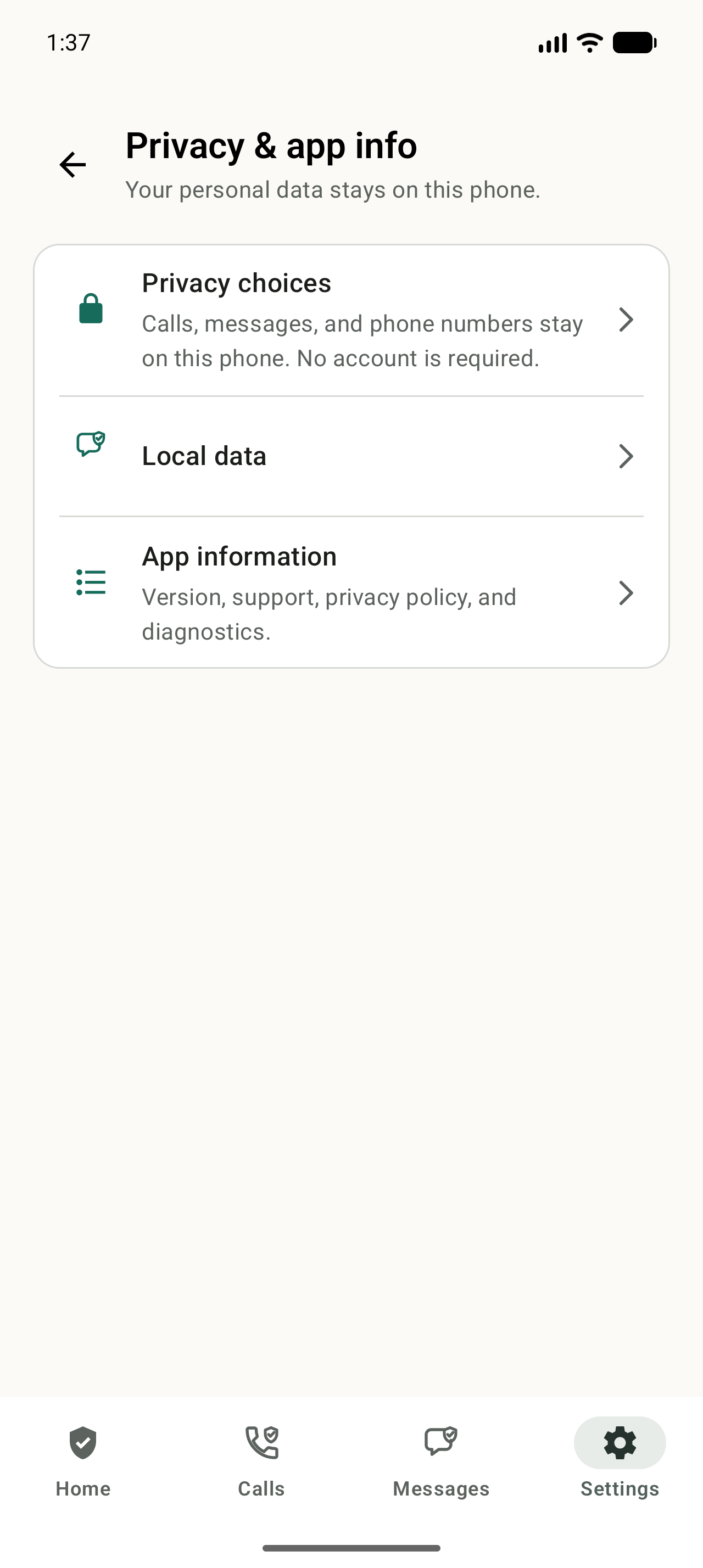
Your communication stays on your phone.
NoRing does not upload calls, contacts, phone numbers, SMS/MMS content, message metadata, rules, or local learning for protection.
No cloud scoringProtection decisions happen locally.
No accountYour communication is not tied to a NoRing profile.
No communication data for adsYour calls and messages are not supplied to advertisers.
Ready in three steps.
Start with either protection and add the other whenever you want.
Install NoRing
Get the Android app from Google Play and open the protection overview.
Turn on what you want
Enable Call Protection, SMS Protection, or both. SMS setup includes choosing NoRing as your default SMS app.
Review and adjust
See what stayed quiet, allow a caller, or change a Sender Rule whenever you want.
Straight answers.
What NoRing protects, what stays local, and what SMS setup requires.
What does NoRing protect?
NoRing has two independently usable pillars: Call Protection and SMS Protection. You can set up either pillar or both. Full protection means calls and SMS/MMS.
Does NoRing upload calls or messages for protection?
No. Contacts, call logs, phone numbers, SMS/MMS content, sender IDs, message metadata, protected history, local decisions, rules, and learning profiles stay on your Android phone. NoRing does not use cloud or cross-user scoring for protection or supply communication data to advertisers.
Is NoRing free?
Yes. Call Protection and SMS Protection are available for free. Free users may see restrained ads on eligible safe screens. NoRing Plus is optional, supports development, and removes ads while active; it does not unlock stronger protection.
Does SMS Protection work if NoRing is not my default SMS app?
No. Android gives the default SMS app the role needed to reliably receive, write, send, organize, and control notifications for SMS/MMS. If NoRing loses that role, SMS Protection is not operational and NoRing will ask you to restore it.
Does NoRing support RCS?
NoRing supports SMS and MMS. RCS is not currently supported.
Call and SMS protection, on your terms.
Use either protection or both. Your communication stays on your phone.
Install free on Google PlayFree for Android · No account required