Understand the Call Screen tradeoff
On supported Pixel phones, automatic Call Screen can handle suspected spam before you answer. Google notes that automatic Call Screen may replace the separate Filter spam calls setting, so a missing toggle is not necessarily a setup error.
Choose NoRing for local repeat-call evidence
NoRing is not a shared caller-ID database. It focuses on eligible repeat unknown-call patterns and keeps call history, phone numbers, decisions, and learning profiles on the device.
Verify the active protection before relying on it
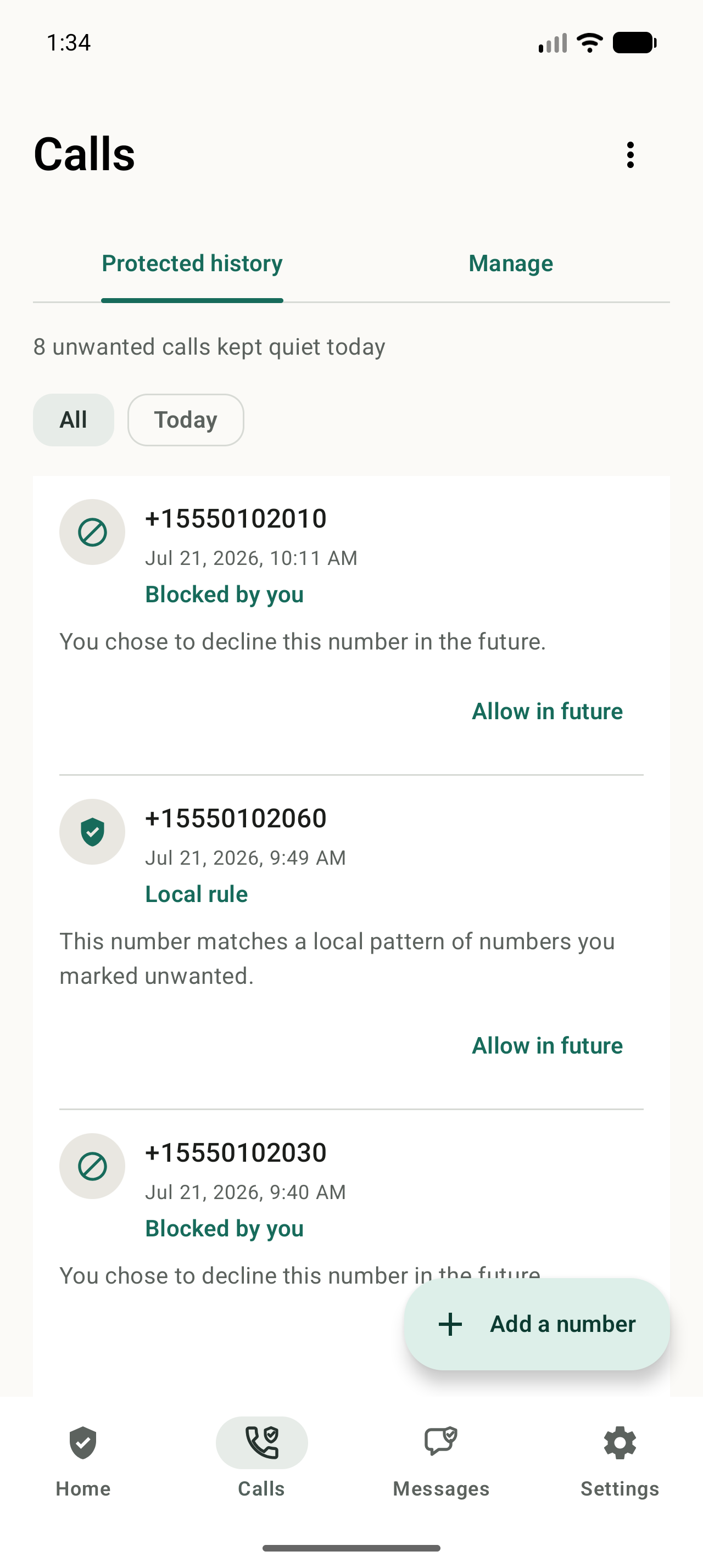
Android controls which call-screening service can act on incoming calls. After setup, confirm NoRing reports Call Protection as ready, then use NoRing's Protected history to review and correct the decisions it made.
Set up NoRing
Review Phone by Google's spam settings
Open the Phone app, choose More options, then Settings, then Caller ID and spam. Turn on See caller ID and spam if that network-backed identification is useful to you.
Check how Call Screen affects filtering
On supported Pixel phones, automatic Call Screen may replace the separate Filter spam calls setting. The exact options depend on device, country, carrier, and Phone app version.
Enable NoRing Call Protection
Install NoRing from Google Play, grant Android incoming call filtering access, and confirm the app reports that Call Protection is ready.
Build local repeat evidence
Reject or quickly end repeat unknown calls. NoRing learns eligible repeat patterns locally instead of relying on a shared caller-ID reputation.
Review and correct
Use NoRing's declined-call alerts and Protected history to allow a number in the future if an important caller was filtered.
Is NoRing a good fit?
NoRing is a strong fit when you want free repeat-caller protection with local learning and a privacy boundary that keeps call data on your phone.